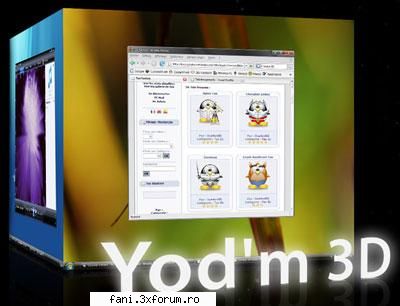
Yod'm 3D is a virtual desktop manager conceived for Windows XP and Windows Vista. Like Beryl, on Linux, it is the rotation of a 3D cube which allows you to change your desktop.
By default, the rotation of the cube is done with the keys CTRL+SHIFT+Arrows :
* CTRL+SHIFT+Left/Right = Next/prev desktop
* CTRL+SHIFT+Up = Activate and show a "far" view of the current desktop, Left and right to turn the cube
* CTRL+SHIFT+Down = Activate and show a "near" view of the current desktop, Left and right to turn the cube
Hold down CTRL+SHIFT to use the mouse to turn the cube. ( The rotation is possible only horizontally )
To move a windows to another desktop :
* Click on the title bar of the window (not maximized if possible), hold down * Push CTRL+SHIFT to activate the cube, hold down * When the cube is activated, move the window on left or right * Release CTRL+SHIFT
To change the wallpaper of a desktop :
Just use Windows ! For each desktop, change the wallpaper using the windows display setting.
Switch to another application :
Click on the Yod'm 3D icon in the taskbar, the list of the windows opened in other desktop appear. Click on the application to switch to the desktop.